This really a great tool, i would love to see able to add short video in pin points and longer duration of displayed image.
This is a great initial selection of models!
However, I have created a Pro account in order to generate walkthroughs of some self-guided walks which are for groups of school pupils. It would be really useful if there was a model for a small group (say 2,3 or4 children), please. The “family” model is almost OK but has just one child. What would be more useful would be one adult with 2/3 children. Is this possible?
1 Like
pbkdf2_sha256$1200000$aWw9by6vSl7yI5gru9QC1E$IR7a9o0LktzsOatvhlWW5EZA57+flpi+i9Ig9W3N3U8=
1 Like
Pleas can you add option that we can inverting or reversing the route without starting over again .
Hi, since the app works with GPS data, would it be possible to use GPS data from uploaded pictures and insert the picture to an exact point in the map where the picture was taken? In current version I can only add pictures to the points created by the app, which is not the spot the picture was taken, right?
Also, some uploaded pictures show up upside down.
I would preffer their original aspect ratio and to be shown in the video for atleast 3 seconds.
Zoom settings would be fine too! I would like to see bigger/wider map, independent on the speed of the video.
Oh, and dressed walking man would be great too! Topless is not the best idea when sharing the video 
Hi , I want train  and bus
  feature, can you please support to edit my trip
Hello, love the App
A couple of things I wish it could do:
On each waypoint, it would be ice to use the option for it to not show, and to not have a label.
For example when making a route through islands where a turn is needed, but you don’t want a label to show and clutter up the pretty display.
It would be nice to be able to set the zoom level and speed independently for each leg between waypoints (stops). So we can make some faster and some slower, and some zoomed in and some zoomed out.
Thank you!
2 Likes
pbkdf2_sha256$1200000$JaDmCXaFO1juZRWFt4o6vO$GpObsiS23cJAMj6kVFvlafHam8IEgEKuPCxwUVAZDr4=
Am platit abonamentul pe onsaptamana si nu pot folosi aplicatia
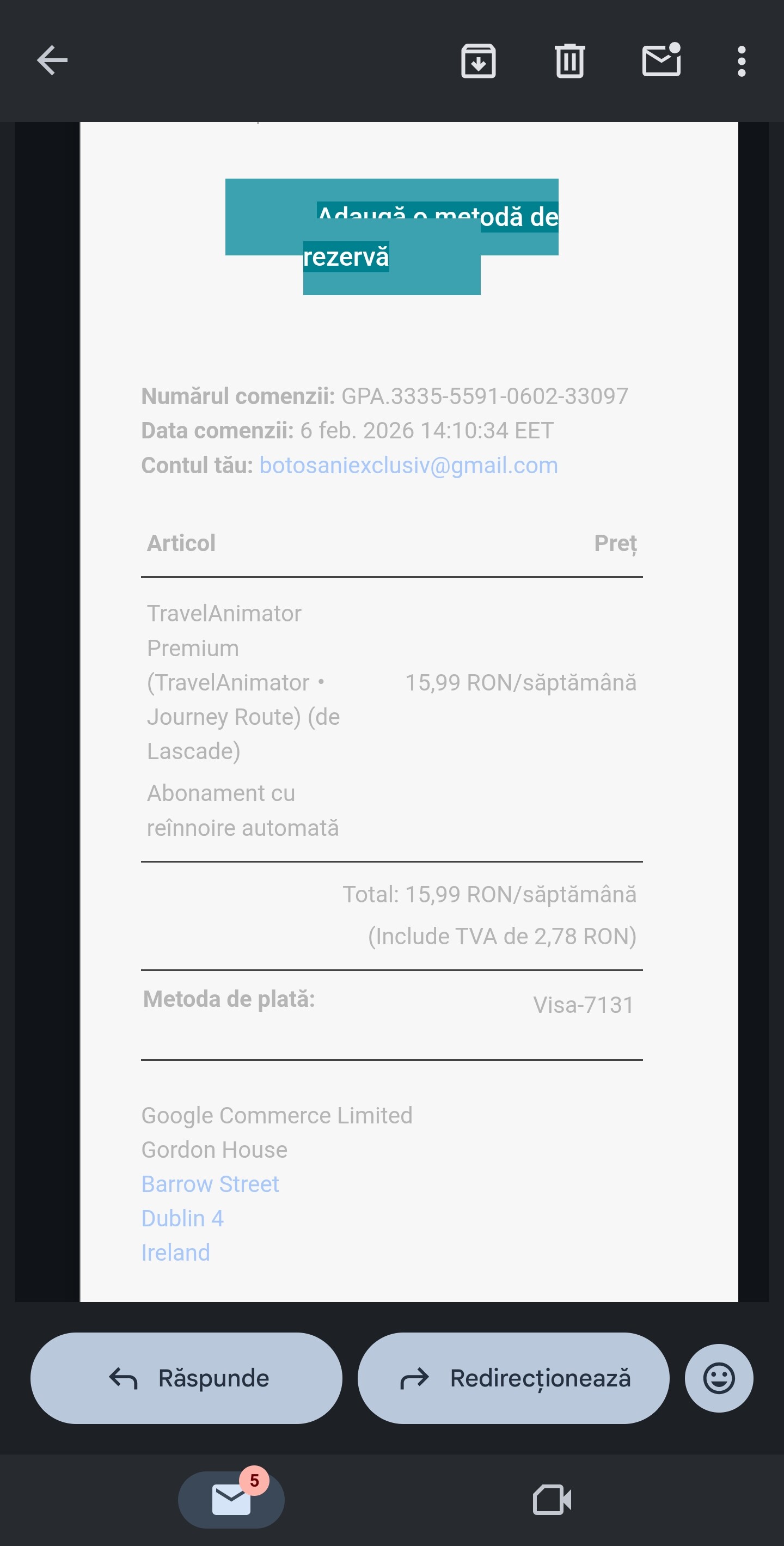
Export video icon does not work now…
App não estar funcionado. Coloco a localidade e diz que ta sem conexão com a internet. Sendo que tem Internet.
Great tool Deepika and team.
Here are a few suggestions from a quick trial:
- Able to edit the name of a location. Example: search for “Kalo Dungar”, and the name that will come on map is “Kutcch”.
- Ability to add a “title” to a video, for example: “Day 1: Bhuj to Tent City”
- Ability to stop at a place on the way and add title: “Great stop on the way, must try the local delicacy Maava”
Kilometers Zoom up
9 minutes video long
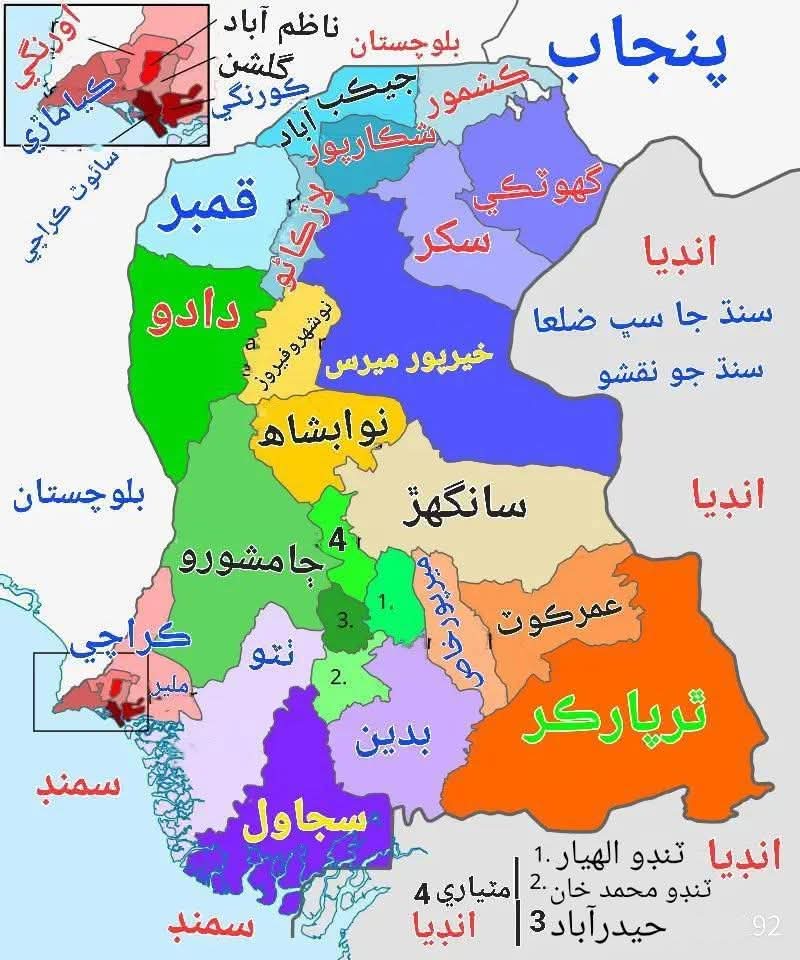
Bhalwah name changes malir
Bhalwah name remove and new name malir tharparkar
Remove bhalwah name and new name malir in tharparkar
Add village imdad Ali Khan Janwari near soomar khan chandio in Qambar district
Add dog grave in Qambar district
Add khairpur miras district
Zoom km in video
Long video
 Feature Request: Granular Speed & Duration Control per Transport Segment
Subject: Feature Suggestion: Independent Speed Control for Individual Route Segments
Dear TravelAnimator Team,
I am a user of your platform and I love how it visualizes journeys. However, I would like to suggest a feature that would significantly enhance the realism and storytelling capability of the app: Segment-Specific Speed and Duration Control.
 The Current Limitation
Currently, the video duration is applied globally. If a route consists of different modes of transport (e.g., Walking → Bus → Flight), the animation moves at a uniform speed across the entire path. This means a person walking appears to move as fast as a plane, which breaks the immersion of the travel animation.
 The Proposal
I suggest introducing the ability for users to manually adjust the speed or duration for each individual segment of a route.
Example Scenario:
-
Segment 1 (Walking): Set to a slower, “real-time” pace.
-
Segment 2 (Bus): Set to a medium speed.
-
Segment 3 (Flight): Set to a high-speed transition.
-
Segment 4 (Walking): Set back to a slower pace for the final arrival.
 Suggested Implementation
•Per-Segment Sliders: When a user selects a transport icon between two points, a “Speed” or “Duration” slider should appear for that specific leg of the journey.
•Proportional Timing: Instead of just a fixed total video time, the app could allow users to allocate percentages of the total duration to specific segments.
•“Realistic Preset” Option: A button that automatically adjusts speeds based on the transport type (e.g., planes automatically moving faster than cars).
 Why this matters
This feature would allow creators to highlight specific parts of their trip while speeding through less important transit segments. It adds a professional layer of “video pacing” that is currently missing from the app.
Thank you for your time and for continuing to improve this great tool!
Best regards,
Gil
Kak gimana caranya kendaraanya bisa beralih ganti kendaraan bermotor.?
Hi how can I add 3d maps to my anomation
Please unlock all vehicles unlock vehicles unlock map
How do we get support. So far there isnt any to my posting. Since recent update can no longer export, says stopped by android. Can you please advise
I am a Flight Attendant and I use the app to show family and friends. When I create a trip I wish the model (airplane) would pause for a second. For example if I fly a four day trip and I put all my destinations in the animator makes it look like I literally flew nonstop to several different cities without stopping. I also wish the cities would pop up. I know you can put tags on to do this but the tags cover up the model or route map and is disorienting.